


Commercial Security Cameras in Dallas, TX
No long-term contract · Monitored by COPS Monitoring, UL-listed
Request a quote
A local Dallas technician replies the same day.
No obligation. We never share your details.
Business security camera installation in Dallas, TX
Dallas Alarm Systems plans, installs, and maintains commercial camera systems in Dallas for buildings of every size, from a corner store to a multi-building yard.
The system is scalable and integrates with your alarm and access control, so one platform and one app cover the whole site, part of your commercial security systems. We are a local, licensed security company that specializes in alarms and cameras. If a camera stops recording or you want another angle later, we are the ones who come back out.
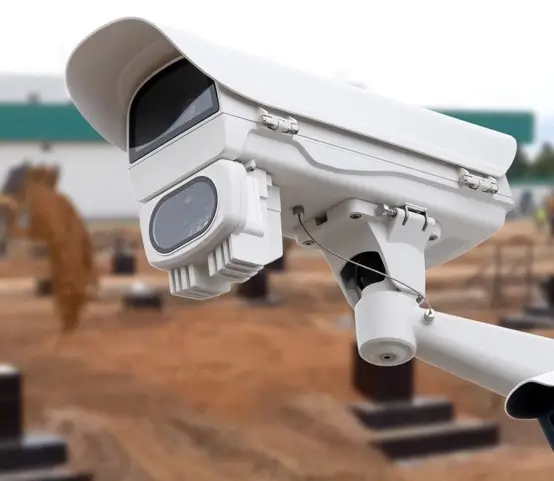
Commercial security cameras across Dallas and the metro
Not sure if we serve your area? Call (469) 250-8555 and ask us.
Live Video Monitoring in Dallas, TX
Live monitoring deters criminal activity before it turns into a loss. An overnight construction yard or an industrial lot is exactly the kind of site where a watched camera earns its keep. Whether you run a single storefront or a large, multi-location business, we design the coverage around your risk. And because an operator confirms each event before anyone responds, you get fewer false-alarm dispatches and a faster, better-informed response than an unwatched camera can offer. It works best tied into your alarm system and access control, so a video verified alarm and the alarm response move together on one platform.
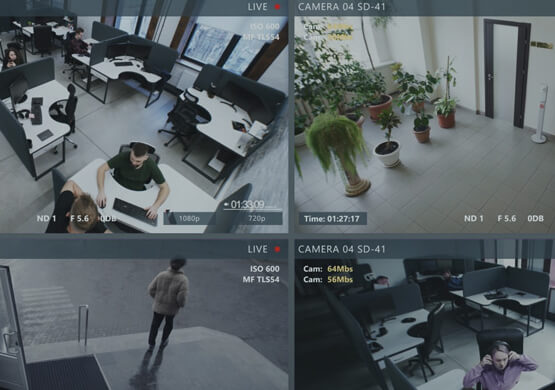
Real operators, not AI
- Trained operators watch live
- A real threat, not a shadow
- Talk-down through on-site speakers
- Most incidents end right there
Verified, faster response
- Police dispatched with video proof
- Verified events, a faster response
- Coverage built around your hours
- Nights, weekends, overnight yards
Works with your cameras
- Layers onto the cameras you have
- One login across every site
- Connected to alarm and access
- No long contract, cancel anytime
Commercial Video Surveillance Systems in Dallas
A commercial video surveillance and CCTV system in Dallas, TX is only as good as its coverage. We match the hardware to the building, the right camera and lens for each spot, mounted and aimed to cover the way the building actually gets used. Most new commercial installs use high-definition IP cameras, with the resolution set by how far a camera has to reach to identify a face, a plate, or a moving vehicle. Modern low-light cameras are built to make out faces, vehicles, and activity where older cameras gave you dark, grainy footage. Everything runs on one platform, so your cameras, alarms, access, and automation events sit in one place instead of three separate apps, on site or on your phone.
- Bullet cameras: long parking lots and fence lines
- PTZ cameras: warehouse aisles and docks
- Dome cameras: entrances and reception
- Fisheye and multi-sensor: wide open floors
- Low-light and thermal: after-dark yards
- IP network cameras: multi-site setups
- License plate cameras: gates and entries
- Video doorbell cameras: main entry points
- Wireless cameras: quick, cable-free installs
- Covert cameras: discreet, low-profile spots
NVR, cloud, and hybrid recording
Footage only helps if it is still there when you need it. We set up on-site NVR recording for modern IP cameras, cloud recording, or a hybrid of both, sized to how long you need to keep video, and we support the DVR systems still running on analog cameras across many older properties. Some sites are fine with thirty days, others keep sixty or ninety when insurance, compliance, or an internal investigation calls for it.
On-site NVR
- A recorder on the property
- Retention set by your storage
- 30, 60, or 90 days typical
- No monthly cloud fee
Cloud recording
- Footage stored off site
- Nothing to steal on site
- Reach it from anywhere
- Encrypted storage and transfer
Hybrid recording
- Local NVR plus cloud backup
- Quick playback on site
- A cloud copy if the NVR fails
- The setup we install most
Can we use the cameras you already have?
Often, yes. If you already have cameras up, we inspect them first and build from there, keeping the cabling and cameras worth keeping and upgrading only the parts that hold you back. In many cases the job is a recorder swap, a few replacement cameras, and live monitoring added on top.
Often the problem is not too few cameras but cameras in the wrong spots. Placement matters more than camera count, and six cameras aimed at the doors, docks, and cash points that get tested will cover a building better than twelve pointed at empty wall, so we re-aim what you have before we suggest buying more. When a full replacement genuinely is the better call, we tell you that, and why, before you spend anything.
- Cabling that still runs clean
- Cameras still doing their job
- Working mounting points
- A recorder still doing the job
- Footage you already have
- Analog cameras to HD and IP
- Old recorder to NVR or cloud
- Blind spots with added cameras
- Remote viewing and app access
- Live monitoring on top
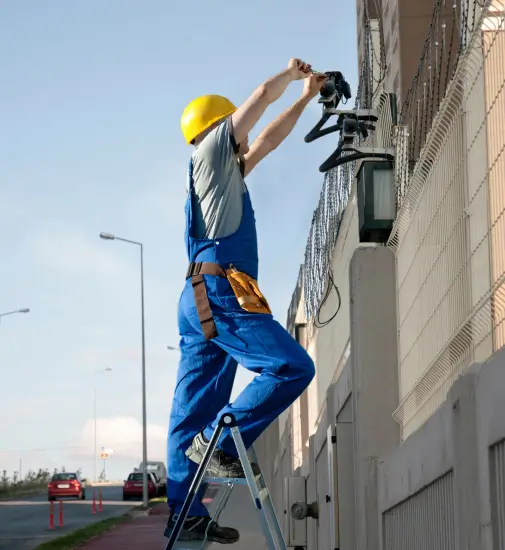
Cameras that flag what matters, not just record it
A modern video management system does more than store footage. It watches for the unusual, sends the right alert to your phone, and lets you find the moment you need in seconds instead of scrubbing hours of video. It flags a person in a restricted area, tags events so you can search them later, and pushes only the alerts that matter. It ties your cameras, recording, and access events into one view you can reach from a laptop or a phone.
- AI that learns normal activity and flags what is unusual
- People, vehicle, and object detection
- Smart alerts to your phone, not spam
- Search by time, camera, or event
- Live view and playback on any device
- Manage every camera from one app
Cameras placed for the way your building gets used
Call us for security camera installation and live video monitoring in Dallas
Whether you need a few cameras over a storefront or full coverage across several sites, we will walk the building and show you where the cameras belong. Then we install, set up remote viewing and recording, and put live eyes on the footage if you want them.
Frequently asked questions on commercial security cameras and video monitoring
Can I view my cameras remotely?
Yes. Live remote viewing works on your phone or laptop, so you can check any camera at any site from anywhere, and pull a clip when you need one.
Do you offer cloud or on-site video storage?
Both, plus a hybrid of the two. We size storage to how long you need to keep footage, on a local NVR, in the cloud, or a mix, depending on your retention needs and budget.
Can you add live monitoring to the cameras I already have?
Usually, yes. We layer live video monitoring onto your existing cameras, reuse the cabling, upgrade only the recorder or the cameras past their prime, and set it up around your risk hours, with no long contract.
How many cameras does my building need?
It depends on the size, the layout, and the spots that cause problems, not a fixed number per square foot. A small storefront may need four to six, a warehouse many more. On the walkthrough we map the entrances, blind spots, and high-value areas and give you a camera count and a quote.
How long does installation take, and do we have to close?
Most businesses stay open while we install. We phase the work around your hours to keep disruption low, run cable cleanly, and bring cameras online in stages so you are never left without coverage.
Can you use my existing network?
Usually, yes. Modern IP cameras and CCTV systems run over your existing network in most buildings. We check the switches, cabling, and bandwidth first, and add what is needed so the cameras do not slow the rest of your business down.
Are there rules on where cameras can go and whether I can record audio?
Cameras belong in general business areas, never in restrooms, changing areas, or other private spaces, and visible signage is good practice. Texas is a one-party-consent state for audio, so recording audio is generally lawful when at least one party consents. We plan placement with you so the system stays on the right side of it.


