

Smart Business Automation · One App
Smart Business Automation in Dallas, TX
Control your locks, lights, thermostats, cameras, and alarm from one place, on a single site or every location in the metro.
No long-term contract · One app for your whole business
Request a quote
A local Dallas technician replies the same day.
No obligation. We never share your details.
Business automation systems in Dallas
Smart business automation for Dallas businesses
Dallas Alarm Systems builds smart business automation in Dallas on top of the security system you already trust, so your building can look after itself.
Areas we serve
Business automation across Dallas and the metro
One app, every system
What you can control from one app
- Arm or disarm from anywhere
- Lock or unlock any door
- See a live camera on your phone
- Get an alert if a door is left open
- Give each employee their own code
- Put the lights on a schedule
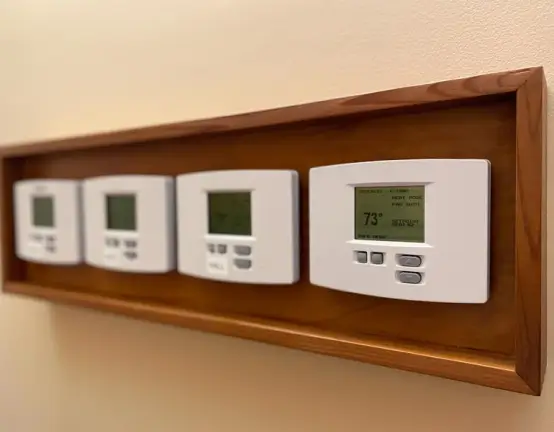
- Ease off the AC after hours
- Stop cooling an empty building
- Tie settings to open and close
- Keep it comfortable during business hours
Automation built around your business day
Automation routines businesses actually use
Automation earns its keep in the moments you repeat every day, whether that is a dental office warming up before the first patient or a warehouse locking itself down at night. Set these once and they run on their own.
At closing
- Arm the alarm on your way out
- Every door locks itself
- The lights switch off
- The AC eases back for the night
- You get a closed-up confirmation
At opening
- The manager unlocks with a tap
- The lights come up
- The temperature is already right
- The alarm disarms
- The day starts without a fuss
Deliveries and after-hours
- A delivery code that works 8 to 10 only
- It expires on its own at 10
- Every entry is logged and time-stamped
- You see who came in, and when
- Revoke it early if plans change
Call Dallas Alarm Systems
Bring your Dallas business under one app
Decide how far to take it, a couple of doors and lights or every system across the company, and we will layer the automation onto the commercial security systems you already run. Plan and quote up front, and the same local crew on the line whenever you need them later.
Frequently asked questions on smart business automation
Can I keep the alarm, cameras, and locks I already have?
In most cases, yes. We build automation on top of the security equipment you already run, keep what still works, and add only the smart devices you are missing.
What happens if the internet goes down?
Can different employees have different access and permissions?
They can. Each person gets their own code or credential, with the doors, hours, and controls you decide, and you can change or remove any of it in minutes.
How much runs on its own, and how much by hand?
That is up to you. Set rules for the routines you repeat, like closing and opening, and keep manual control from the app for everything else.


