


Can a New Alarm Company Take Over the System You Already Have?
Dallas Alarm Systems Team
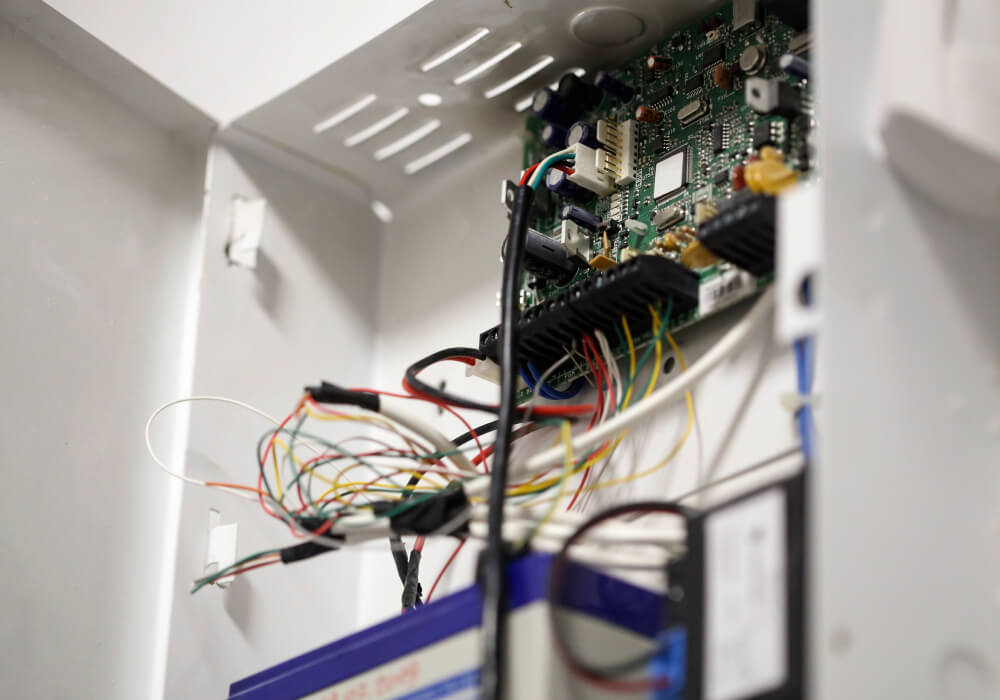
You already have a panel on the wall. Someone installed it years ago, it still arms and disarms, and a monitoring invoice arrives every month from a company you may not have chosen yourself. Now the contract is ending, the service has slipped, or you bought the building and inherited the system along with it.
The first question is almost always about the equipment. Can another company take over what is already installed, or does every device have to come off the wall? The answer may be a full takeover, a panel swap that keeps the existing devices, or a complete replacement, and each one produces a very different quote.
Age alone does not decide whether a system can be taken over. A commercial panel installed more than a decade ago may still be serviceable, while a newer system may be tied to a platform that another provider cannot use.
What Happens When a New Alarm Company Takes Over Your System?
A takeover means a new company assumes responsibility for monitoring and servicing the system already installed in your building. What remains in place depends on the panel, the communicator and the devices connected to them. There are three possible outcomes.
- Full takeover: your panel, sensors and wiring all stay. A technician reprograms the panel to a new central station under a new account, tests every zone, and rebuilds your user codes and call list.
- Panel swap with your devices kept: the control panel changes, while the compatible sensors and existing wiring remain in service.
- Full replacement: the panel and the devices both come out. This is the right call for some buildings, and you should be given specific reasons for it rather than a general recommendation.
Keep that middle option in mind while you gather pricing. Many owners assume that replacing the panel also means replacing every sensor, even when much of the existing equipment may still be usable.
How an Alarm System Compatibility Check Works
A compatibility check happens at the panel, not over the phone. The technician inspects the board, the devices attached to it, and how the system currently sends its signals.
- Make and model: widely installed commercial panels are generally easier to support because parts, programming information and compatible communication equipment are more readily available. An obscure or long discontinued platform narrows your options quickly.
- Wired-zone compatibility: the technician checks the zone wiring, resistor setup and power requirements, along with any keypads, expanders and powered detectors that communicate directly with the panel.
- Installer lockout: a locked installer code is a normal security feature, since it stops the system programming from being changed at the keypad. What can be done depends on the panel and how it was programmed. Some systems can be accessed with the installer code, while others may have to be reset and programmed again. If installer lockout prevents either option, replacing the panel may be the only practical route. In many buildings, the compatible sensors and wiring can still remain.
- Dealer-locked platforms: several of the all-in-one panels sold today go out through dealer networks and stay tied to that dealer’s platform, including the customer app and the encrypted sensors paired to the panel. They are capable systems, and moving them to another provider is often not possible.
- Zone capacity: the count of zones in use against what the panel supports tells you whether the system has room left. A panel that is already using every available zone may transfer successfully but leave no room for another door, sensor or remodeled area.
- How the panel sends its signals: if the communicator is still wired for a phone line the building no longer has, that has to be resolved first.
A panel may still be working properly even though its programming records and installer code are no longer available. That missing information can limit what another company can change without resetting or replacing the panel.
Which Parts of Your Existing Alarm System Can Stay?
A large share of what you paid for sits in the field devices and the cabling, and owners tend to write off all of it at once. Those devices fall into two predictable groups, and knowing which is which tells you how much of a replacement quote is necessary.
Equipment That Usually Transfers to a New Panel
Many conventional hardwired contacts and sensors can remain if they test properly and match the replacement panel’s zone and power requirements. Keypads, expanders and powered detectors still need to be checked individually.
- Hardwired door contacts, motion detectors and glass-break detectors that test clean on every zone
- The cable runs already pulled through finished ceilings, hard walls and conduit, which is usually the most expensive part of the system to install again
- Sirens, strobes, horns, power supplies and annunciators
- Keypads, when the replacement panel comes from the same manufacturer family
Equipment That Often Has to Be Replaced
The wireless side is less predictable, because a wireless sensor only talks to a receiver that speaks its protocol. The backup battery is tested during the takeover and replaced when its age or condition makes continued service unreliable.
- Encrypted wireless sensors paired to a proprietary panel that the new system cannot read
- Older wireless devices on a frequency or protocol the new receiver does not support
- Sealed lead acid backup batteries that have reached the end of their service life
- Any device that has been failing intermittently, since moving the account does nothing to fix a bad sensor
One mistake we see often
is a zone list that stopped describing the building years ago. Someone remodeled, a wall moved, a door was sealed off, and nobody relabeled anything at the panel, so a zone label no longer matches the opening it is wired to. The zone description is what the operator relays when the alarm is dispatched, so correcting it is part of doing a takeover properly.
Can an Older Alarm Panel Be Upgraded to Cellular Monitoring?
Plenty of commercial panels installed ten or more years ago were programmed to report over a copper phone line. Many buildings dropped those lines entirely, and a good number of the ones that kept them have been moved onto VoIP service the panel was never designed to work with. The system may still arm normally even though its signals are no longer reaching the central station. Depending on the panel, the failure may appear as a trouble condition or may only become clear during testing.
On many established commercial panels the communicator is an add-on module rather than part of the main board. Adding a cellular or dual-path communicator brings the communication path current and leaves a sound panel in place. So when someone quotes a full replacement, ask which part of the system is the limitation.
When the Existing Alarm Panel Should Be Replaced
Some systems should not be taken over at all, because the problems follow the account to the new company. Replacement is the better use of your money in four situations.
- The panel is out of production and replacement parts are no longer available
- Every zone is in use and no expansion module exists for that platform
- The programming is locked with no recovery path, which makes future service dependent on one company
- The system was undersized for the building from the day it went in
If your building has grown or changed how it uses the space, monitoring the same inadequate set of points through a different company will not improve what the building detects. None of this makes an older system something to be embarrassed about, and many businesses run on equipment installed years ago that does exactly what the building requires. Rather than asking how old your system is, ask whether it can be monitored reliably, whether more than one company can service it, and whether it can grow when the business does.
What Can Be Upgraded Without Replacing Every Sensor?
A panel swap can add features the existing system does not support while allowing compatible field devices to remain. Depending on the panel and monitoring platform, that may include cellular or dual-path reporting, remote arming, notifications when the system is left disarmed, and a user history showing who operated it. It may also leave room to connect video verification or access control later without rebuilding the alarm system again.
What to Check Before Changing Alarm Companies
Your agreement with the current provider can affect the switch as much as the equipment does. Read it before you schedule anything, and confirm these four points in writing.
- Contract term and notice requirements: many monitoring agreements renew automatically unless written notice arrives inside a specific window. If the language is ambiguous, have your attorney read it rather than relying on what you are told over the phone.
- Who owns the equipment: some agreements, particularly ones that came with free or heavily discounted installation, keep ownership of the panel and devices with the provider. That single clause decides whether a takeover is available to you.
- Whose name holds the account: the monitoring account may still sit with a previous owner, a property manager or a franchisor rather than the business currently operating in the space.
- The order the change happens in: new monitoring should be programmed, tested and live before the old service is cancelled.
What Happens During an Alarm System Takeover?
A takeover visit follows a defined sequence, with each step confirming that the retained equipment still operates and reports correctly.
- Identify the panel and confirm whether the existing programming can be accessed
- Walk the building and inventory every device against the current zone list
- Test how the system reports and confirm whether that path still works
- Program the panel to the new central station under a new account number
- Trip and confirm every zone individually, one device at a time
- Rebuild user codes and the call list, then walk your staff through anything that behaves differently
Have four things ready before that visit: the make and model printed on the panel label, your current monitoring account number, the existing zone list if one exists, and your agreement with the current provider.
Before the takeover is complete, every zone should be activated and confirmed at the central station. A zone listed on the paperwork is not the same as a signal that has been received successfully.
Not Sure What Is Reusable in Your Building?
Dallas Alarm Systems takes over and upgrades existing commercial alarm systems across Dallas. We can open the panel, test what is installed, and tell you which of the three outcomes you are looking at before you commit to anything.
Common Questions About Changing Alarm Companies
Do I have to cancel my current monitoring before a new company can look at the system?
No. A new company can inspect the equipment while your current monitoring remains active. The end of the old service and the start of the new account should be coordinated so the building is not left without monitoring. Check the notice requirements in your current agreement, and confirm that the new account is receiving signals before the previous service ends.
Can a new company take over the monitoring but leave my cameras and access control alone?
Usually, yes. Alarm monitoring, video and access control are often separate systems on separate platforms, even when one company sold you all three. The alarm account can move on its own. Where they are integrated on a shared platform, ask specifically what the alarm side is tied to before anything is signed, because that determines whether the other systems keep working the way they do now.
What happens to our user codes and call list when the account moves?
They get rebuilt from scratch, which usually works in your favor. This is also a good time to remove codes belonging to former employees, confirm who still needs access and replace phone numbers that are no longer current.


