


What Security System Does a Daycare or Preschool Need?
Dallas Alarm Systems Team
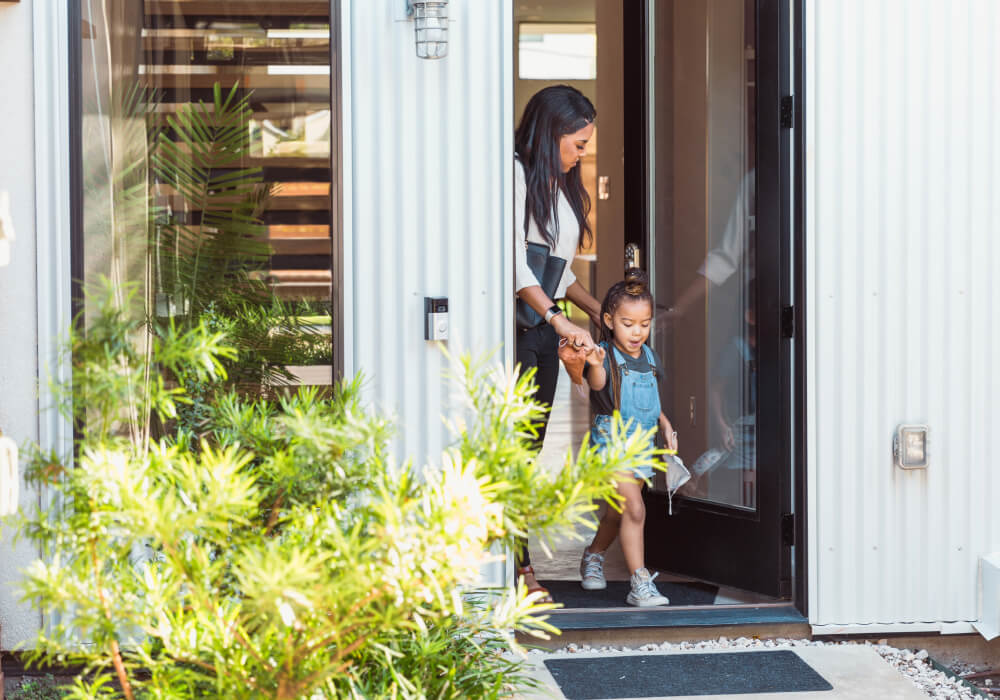
A daycare or preschool asks more of a security system than most small commercial buildings do. An office or a shop mostly needs its alarm once the staff have locked up. A childcare center needs it just as much at ten in the morning. Most alarm systems are designed around someone getting in. Here the first worry is a child getting out, and a four-year-old can push the bar on an exit door.
A good alarm system has to handle both parts of the day. The easiest way to see what your building needs is to follow one ordinary day through it, from the first teacher unlocking the door to the weekend when nobody is there.
Opening the building, when one person is there alone
The opener usually arrives before daylight, and the first thing she does is disarm the alarm. Give her a code of her own. A shared code is easier to hand out, but it tells you nothing afterward. With individual codes, the panel records who disarmed and when, so a director can see from home that the building opened on time.
Ask for a duress code too. It disarms the system like any other code, and it also sends a silent signal to the monitoring center. It exists for the rare morning when someone is standing behind her.
Drop-off, and how parents get through a locked front door
By half past seven there is a line of parents at the entrance. In most centers that door stays locked all day, so the decision is how approved adults get through it without a staff member walking over every few minutes.
One answer is a video intercom, where the front desk sees the visitor and releases the door. The other is to give each family a code, card, or phone credential that works during set hours. Because a credential belongs to one family, it can be switched off when a child leaves the program or a card is lost, and nobody else is affected. That is the same idea larger buildings use for commercial access control, and newer systems let the phone do the job of the card. Many centers use credentials for enrolled families and the intercom for everyone else.
The problem is not always the lock. Sometimes a parent simply holds the door for the next adult. A second inner door that only staff release, or a front desk with a clear view of the entrance, is what catches it.
Which doors should announce when a child opens them?
Mid-morning, half the building is on the playground and the other half is at the art tables. This is when an exit door matters most. Every exterior door should have a contact on it, the small sensor that tells the alarm panel whether the door is open or closed. At night those contacts trigger the alarm. During the day they can sound a chime or a spoken announcement at the keypad, so staff hear “playground door” and know to look.
- Classroom exit doors: Many classrooms open straight to the outside. Each should announce by name, so a teacher next door knows which one it was.
- The playground gate: An outdoor gate sensor can report to the same panel. It catches the gate a mowing crew left unlatched.
- Kitchen, laundry, and storage doors: Rooms children should not enter can chime as well.
- A door left open: The panel can alert when a door stays open past a set time, like the one propped for a delivery.
The common complaint a few months later is that the chime never stops and nobody hears it anymore. That usually means too many doors were included. Take the front door and the staff entrance off the daytime chime and keep it on the doors a child could leave through.
Nap time needs its own thought. One teacher may be alone with a dozen sleeping children, which is exactly when she needs to hear that a door opened. It is also when a loud announcement wakes the infant room. Put the sounder in the hallway or the office, at a volume staff can hear and babies sleep through.
Expert Tip
Ask for every door and button to be named in the words your staff already use. “Butterfly room exit” tells a teacher and a monitoring operator where to look, and “Zone 7” does not. Names are simple to get right while the system is being programmed.
Pickup, and the adult who is not on the list
Late afternoon is the busiest hour at the front desk. A grandparent or a neighbor arrives with no credential, rings the intercom, and staff check the pickup list before the door opens. The system does not make that decision. It makes sure a person does.
Now and then the adult at the door is not on the list and is upset about it. This is what a panic button is for. It calls for help without anyone picking up a phone, and it can be silent. In a monitored system, the signal reaches the monitoring center with its location, an operator follows the instructions on file for your building, and the people on your call list are notified. The front desk is the first place for one. A wearable button on a lanyard covers the teacher who is out on the playground.
Have staff practice when the system goes in and again when new teachers start. A button nobody has ever pressed is one people hesitate to use.
What if something is happening outside the building?
Directors ask about this too. If there is a disturbance in the parking lot or police activity on the street, you want every entrance secured without a staff member running from door to door. Where the doors are on electronic locks, one button or one tap in the app can lock them all and turn off the family credentials until you release it. In this setup, lockdown is about stopping people from coming in. Everyone inside can still walk out through any door.
What cameras add, and who should see them
Cameras help answer questions afterward and let the director check parts of the building without leaving the office. The entrance comes first, with a camera at head height that shows who came in and who left with which child. Hallway cameras show which adult was where. Outside, cover the play area, its gate, and the parking area. Cameras do not belong in restrooms or diapering areas, and a technician planning business security cameras for a center will aim hallway cameras so those doors are in view without seeing inside.
Some parents will ask whether they can watch the cameras. Some centers offer it and some do not, and either can work. If you allow it, give parents their own logins, separate from staff and director access, with audio and recording turned off and a written policy on screenshots. Think about your teachers too, because being watched all day changes how the job feels.
Closing, overnight, and the weekend
The last teacher out has a lot on her mind. Most current panels can notify the director when the system is still disarmed at a set hour, which covers the night she forgets. The cleaning crew gets a code that only works during their hours. A teacher who leaves the staff has that one code deleted, and nobody else learns a new one.
After that, a daycare is a small commercial building with tablets, computers, and family records inside. A monitored business alarm system covers it the way it would an office, and a backup battery with a cellular communicator keeps it reporting through a power or internet outage. For a building that sits empty all weekend, video verified alarms send a clip with the signal so the operator can see the cause.
If your center shares a building
Many centers sit inside a church or a strip center, with a lobby, hallway, or side door they do not control. Treat your own suite as the building. Put the contacts, the chime, and the locked entry on the doors that lead into your space, and ask the landlord before anything is mounted on a shared door. Wireless sensors help here, since they need no cable through walls you do not own.
None of this replaces headcounts or a teacher’s eyes. A security system tells staff what just happened at a door. They still have to go and look.
Planning security for a daycare or preschool?
Dallas Alarm Systems installs and monitors business alarm systems in Dallas and in nearby cities including Frisco and Richardson. We will walk your center on a normal day, watch how families arrive and where the children go, and lay out the alarm, door entry, and camera options for your building. Call (469) 250-8555 to schedule a visit.
Common questions about daycare and preschool security
Can these features be added to an alarm the daycare already has?
Many existing panels can take new door contacts, chimes, and panic buttons. A technician has to check the panel model and how many zones are still free.
Can the work be done while the center is open?
In most centers it can. Wireless sensors go in with little noise or dust, and work near classrooms can be scheduled around nap time, evenings, or a weekend.
How many cameras does a daycare need?
Layout decides it more than size. Count the entrances, hallways, play areas, and parking, and a technician can tell you how many views each one needs.
Will staff need training to use the system?
A short session covers it. Each person learns their own code, what the door announcements mean, and where the panic buttons are, and new hires get the same walk-through.


