


Can You Add Security Cameras to an Existing Alarm System for Your Business?
Dallas Alarm Systems Team
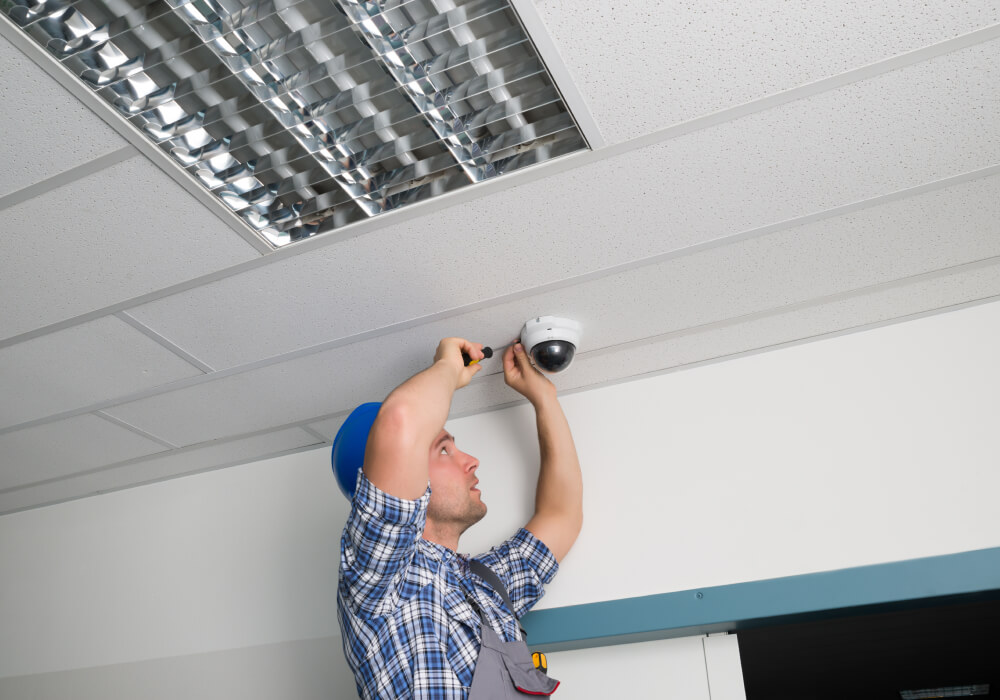
If your business already has an alarm system, adding cameras can feel like the start of a much bigger project. You may wonder whether the old panel has to be replaced, whether the existing sensors can still be used, or whether you will end up paying for two systems that do not talk to each other.
In most cases, you do not have to start over. The door contacts, motion sensors, keypads, and wiring can often stay in place while cameras are added around them. What changes is how much the alarm and cameras can work together, and that depends mostly on the alarm panel and communicator you have now.
Three ways cameras can work with your alarm system
Say the alarm goes off at your building late at night and your phone rings. What you can do in the next minute depends on how the cameras were added. Cameras are usually added in one of three ways, and they give you very different answers in that moment. All three are sold as “adding cameras,” and a quote does not always say which one is being offered.
- Cameras and alarm as two separate systems: The cameras have their own recorder and their own app, and the alarm is not touched. When the alarm goes off, you open the camera app, find the right camera, and scroll back to the right time. This can work even with an older alarm panel, because the cameras never connect to it.
- Cameras linked to the alarm in one app: The alarm and the cameras run on the same service. When the back door sensor trips, the alert on your phone comes with a short clip from the camera on that door. You are not searching for anything. You open the alert and see what happened.
- Alarm video sent to the monitoring center: The same clip also goes to the operators who monitor your alarm. They can see what is happening before deciding how to respond, even if you are asleep or cannot be reached. That is the idea behind video verified alarms.
Separate cameras still record everything, and for a small shop that only wants footage to look back on, that may be enough. The other two matter when you want to know what set off the alarm right away. Running the alarm and the cameras on one platform is how a business alarm system gets you that answer without a second app.
How to tell if your alarm panel can connect to cameras
The sensors are usually not the problem. A door contact only reports open or closed, and a motion detector only reports motion, so nearly any system can work with them. What matters is the panel, which is the control box all the sensors report to, and how that panel sends its signals out of the building. A technician will want to know a few things about yours before saying what is possible.
- The panel model and its age: Many newer panels can run on the same app as cameras. With an older one it depends on the model, and the only way to know is to look at it.
- The communicator: This is the part that sends the alarm signal out of the building. For example, an office with a fifteen-year-old alarm that still reports over a phone line will usually need a cellular or internet communicator before it can share an app with cameras. In many cases, that upgrade is what allows an older panel to work with a modern app.
- Programming access: Changing how a panel behaves takes an installer code. If the alarm came with the building, or was set up by a company you no longer use, that code may have to be obtained or the panel reset.
- Your monitoring agreement: If the alarm is monitored under a contract, read the terms before you plan the project.
There is a quick check you can do yourself. If you already arm and disarm the alarm from an app on your phone, the panel is online, and there is a fair chance cameras can be added to that same app. If the keypad on the wall is the only way to control it, the panel needs a closer look and may need a communicator upgrade.
The installer matters too. Any qualified camera company can install separate cameras, because the alarm is not touched. Linking is different. Someone has to work on the alarm panel too, so either one company handles both sides or your camera installer and your alarm company have to coordinate. Ask about this early. It affects the schedule, and it decides who you call later when something needs service.
Which alarm equipment stays, and what the cameras need
In a small office with contacts on three doors, two motion detectors, a keypad by the entrance, and a siren, none of that changes when cameras are added. The sensors, the keypad, the siren, and the wiring behind them all stay where they are.
The cameras are a second set of equipment. They do not run on alarm wire. Each camera normally needs its own network cable, which carries power and video back to a PoE switch or a recorder with built-in camera ports. The footage is stored on a recorder in the building, in the cloud, or both. If the alarm is being linked, a communicator may be added or replaced inside the panel.
Where the cameras go matters as much as which cameras are chosen. For a linked or monitored system, each camera has to see what the sensor protects. If the back door has a contact on it, a camera needs a clear view of that door. Otherwise the alarm will arrive with video of an empty hallway.
Owners often ask whether Wi-Fi cameras can avoid the cabling. They can help in one or two places where cable cannot reach, such as a storage building across the lot. They still need power, though, and they are only as good as the wireless signal in that spot. For the main coverage in a business, wired cameras are the dependable choice.
Cameras you already own are a separate question. A restaurant that put in four cameras a few years ago can keep using them exactly as they are. Whether they can be linked to the alarm depends on the make of the cameras or recorder, so some can be and some cannot.
The alarm does not depend on the cameras. The alarm panel normally has its own backup battery and communicator, so if a camera fails or the network goes down, the alarm still detects and reports, provided its communicator does not rely on that same internet connection alone. The alarm also stays in service while the cameras are being installed. Only a communicator change takes it offline, briefly, while the part is swapped and tested.
You will almost certainly want to see the cameras from your phone, and that relies on the upload speed at your building. How that access is set up matters for security. The recorder should not be open directly to the internet, and each person should have their own login. Decide early who gets what. The owner may want everything, a manager may only need live view and alarm clips, and very few people should be able to change settings or export footage.
Expert Tip
Before anyone quotes the job, list every door and area your alarm covers. Next to each one, note whether a camera would have a clear view of it. A gap on that list means an alarm with no useful video, and it is much easier to correct before the cameras are mounted.
What adding cameras looks like in a store, a warehouse, and a medical office
What matters after an alarm trip is different in every building. A store owner wants to see the back door, a warehouse manager may care about dock activity, and a medical office may need a clear record of who opened the office.
A retail store with a back door
The motion sensor on the sales floor trips after closing. With separate systems, the owner gets the call, opens the camera app, and starts looking through cameras while deciding whether to drive in. With linked cameras, the alert comes with a clip of the sales floor, and it shows a hanging sale banner swinging under the air vent. Nobody has to go anywhere. On another night the clip might show a person at the back door, and the owner knows that just as fast. If the video also goes to the monitoring center, the operator sees the same thing and does not have to wait for the owner to pick up.
A warehouse with dock doors
Dock doors are in use all day and are meant to stay shut after hours. Linking each dock contact to the camera above it gives a record of every after-hours opening with the video beside it. The docks are only one part of warehouse security, and the trailer yard and the perimeter need the same attention.
A medical or dental office
The manager wants to know the office was opened on time and by the right person. Pairing the morning disarm with the entry camera answers that without anyone reviewing a day of footage.
What affects the cost of adding cameras to an alarm system
Camera pricing changes from building to building, because the building affects the price as much as the equipment does. A small office with a drop ceiling and four cameras is a very different job from a warehouse with long cable runs and outdoor coverage.
More cameras cost more, and cameras built for outdoor or low light use cost more than basic indoor ones. Labor is harder to judge from a distance. High ceilings, long runs, and finished walls all add time.
Any change to the alarm itself is priced on top of the cameras. A communicator upgrade costs less than a panel replacement, and keeping the cameras separate avoids both. Then there are the monthly costs. Linked systems usually carry a service fee, monitored video adds to the monthly monitoring cost, and cloud recording is billed monthly too. A proposal should show the monthly figures next to the installation price, so ask for them if it does not.
When replacing the alarm panel makes more sense
Keeping the existing panel is usually the less expensive path. There are situations, though, where it does not make sense to spend money on a panel that may need to be replaced soon anyway. In these cases it is worth pricing a new panel alongside the cameras.
- The panel is no longer supported: If the manufacturer has stopped making parts or communicators for it, future repairs become harder and linking is unlikely.
- It cannot take a current communicator: A panel limited to a phone line, with no upgrade available, will stay a standalone alarm.
- It is out of room: Every panel supports a set number of zones. If yours is full and the building has grown since the alarm went in, you may already have doors or areas with no sensor on them. Adding cameras is a sensible time to deal with both.
- It already has recurring problems: A panel that regularly shows trouble conditions, such as a keypad that keeps beeping, should be repaired or replaced before cameras are tied to it.
Replacing the panel does not mean replacing everything. Wired sensors can usually be connected to a new panel. Wireless sensors are generally made for one brand of panel, so some of those may need to be changed. The same sorting of what stays and what goes happens when a new alarm company takes over an existing system.
Choosing between separate, linked, and monitored cameras
If you only need recorded footage to look back on, separate cameras are enough, and they can go in without any change to your alarm. If you are the one who gets the call when the alarm trips, linking is worth the extra work, because you see the cause on your phone and do not have to drive in to find out. Monitored video makes the most sense for buildings that sit empty overnight or hold inventory someone may try to steal, where someone other than you needs to see the alarm and act on it.
You can also start with one option and move to the next later. That is easier when the cameras were placed with the alarm zones in mind from the start.
What a technician should check before quoting the job
A quote for cameras on an existing alarm should follow a visit to the building. The technician should identify the panel and communicator, confirm programming access, match alarm zones with camera views, check where cable and equipment can go, and ask who needs alerts and access. You should come away knowing which of the three options you are getting and what it would take to move to the next one. That is the kind of check Dallas Alarm Systems makes before adding business security cameras to a building with an alarm already in place.
Want to know what your current alarm can support?
Dallas Alarm Systems will look at the panel you have, tell you which parts can stay, and show you what adding cameras would look like in your building before you decide. We do this for businesses across Dallas and in nearby cities such as Plano and Fort Worth.
Common questions about adding cameras to a business alarm system
Do I need a new alarm panel to add security cameras?
Not always. Cameras can run alongside any panel. Connecting the two depends on your panel’s platform and communicator, so a technician should check the model before you decide.
Will my cameras record when the alarm goes off?
Cameras that record continuously capture it either way. For the alarm to mark the clip or send it to your phone, the two systems must be linked on one platform.
Can I see my cameras and my alarm in one app?
Yes, when both run on the same platform. If your panel cannot join one, you will use two apps, which works but means checking each one separately after an alarm.
Can cameras be added if another company installed my alarm?
Usually, yes. Cameras can be installed alongside it right away. Linking them depends on programming access to the panel and the terms of your current monitoring agreement.


