


How Do You Secure a 24-Hour Gym With No Staff on Site?
Dallas Alarm Systems Team
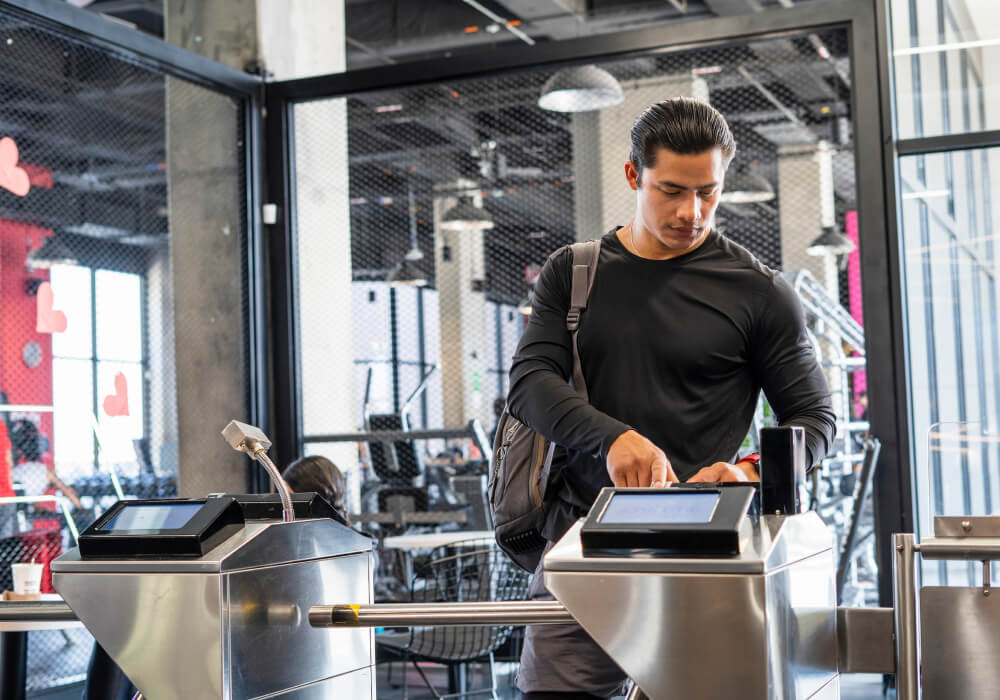
If your gym stays open after your staff leave, you need to know what is happening without checking the cameras all night. You should be able to review who came in, receive alerts when a door is left open, and make sure members can reach someone for help.
That takes some planning, whether you are extending your hours or improving an existing 24-hour setup. This guide explains how member access, cameras and alarms support 24-hour gym security during unstaffed hours, what your existing equipment may already do, and where someone still needs to respond.
What should control the front door of a 24-hour gym?
Members come in with a key fob, a card, a PIN or a phone app. An access control system checks that credential and decides whether the door unlocks. Each time a credential is used, the system logs the member’s name and the time. A camera at the entrance helps you confirm who actually used it. The door itself needs a few pieces of hardware to make this work:
- Electric strike or magnetic lock: This holds the door locked and releases it when a valid credential is read. The right one depends on the door, and each is wired differently for exit and emergency release.
- Door position switch: This tells the system whether the door is open or closed, which the system needs for its door alerts.
- Exit hardware: Members must always be able to leave without a credential. Depending on the lock, that may be a push bar, a request-to-exit sensor that releases the lock, or both.
- Door closer: A reader cannot secure a door that sticks open. The closer has to pull the door shut and latch it reliably after every entry.
Phone credentials are worth considering, because a fob is easy to hand to a friend in the parking lot. A credential tied to a member’s phone is harder to pass around. Some systems also require the phone to be unlocked before it opens the door.
Cancelled memberships need a plan as well. A member who cancels in the morning should not be able to get in that night. Ask whether the access system can connect to your membership software, so a cancelled or unpaid account loses door access automatically. If the two systems are not connected, someone has to remove each member by hand, and that list can fall behind quickly.
Why a key fob reader cannot stop tailgating, and what catches it instead
A reader decides who unlocks the door, but it cannot tell how many people walk through once the door is open. Sometimes a member holds the door for the person behind them, to be polite or because they know each other. That second person is inside, and the system has no entry record for them. They may be another member who did not scan, or someone without a membership.
A turnstile or a controlled entry vestibule can limit entry to one person per credential, but it has to suit the building’s exits and members who need step-free access, and not every gym has the space or budget for one. Without one, the practical approach is to detect tailgating and respond to it. These tools do that at the entrance:
- Door held open alerts: The door position switch starts a timer when the door opens. If the door stays open past a set number of seconds, the system sends an alert and can sound a tone at the door.
- Entry counting: With a compatible system, a camera or overhead sensor counts the people coming through and compares that number with the credentials used. If two people come in on one credential, the system logs it so you can review it.
- A camera at the reader: A camera at face height beside the reader records a face with every entry. If a member lends out a fob, the face in the video will not match the name in the log.
An alert can go straight to the owner’s phone with a short clip attached. With live video monitoring, an operator can watch the entrance in real time and ask the person through a lobby speaker to check in. Someone from your team may still need to follow up.
Who answers an alert when nobody is in the gym?
Before choosing equipment, decide who should hear about each kind of event after hours, and who covers when that person is unavailable. The table below is a good starting point when you talk this through with your security provider.
| Event | What the system detects | Example routing to agree with your provider |
|---|---|---|
| Door forced open | The door opens with no valid credential or exit request | Monitoring center first, then the owner |
| Door held open | The door stays open past the time limit | Owner or manager, plus the live video operator if monitored |
| Tailgating flagged | More people enter than credentials were used | Owner’s app with a clip, plus the operator if monitored |
| Help button pressed | A member requests assistance | Monitoring center follows the procedure you agreed, such as calling the owner or sending help |
| Motion in the office or storage room | Someone is inside an armed back room | Monitoring center follows your agreed verification and response steps, and notifies the owner |
| Power or internet loss | A fault or connection-loss notice, depending on the equipment | Owner or manager |
Recording and watching are different services, and it helps to know which one you are paying for. Cameras that only record give you something to review the next morning. Alarm monitoring through a UL-listed central station, such as COPS Monitoring, means a trained operator receives your alarm signals around the clock and works through your call list. Live video monitoring adds someone who can look at your cameras the moment an alert comes in.
Help buttons need their own planning. Agree with your provider whether each button is meant for general assistance, a medical emergency or a security threat, and confirm how the monitoring center handles each one. Place buttons on the workout floor, in the locker room corridor and near the restrooms, and tell members they are there.
A button on the wall only helps if a member can get to it, so give members another way to ask for help as well, such as a support number posted at the entrance. Talking with the operator directly needs a two-way voice station and a monitoring service that supports it.
Expert Tip
Before going fully unstaffed, write the response plan down with your monitoring provider, including who gets called, in what order, and what happens if nobody answers. Then test member entry, a door held open, a cancelled credential, the backup power and the help button after hours, and confirm that each alert reaches the right person.
Keeping the office and storage rooms armed while the floor stays open
An alarm panel can be divided into partitions, which are separate areas that each turn on and off on their own. In a 24-hour gym the workout floor stays open to members, so that area stays disarmed. The front office, the retail and supplement storage room, the cleaning closet and the room with your network equipment can stay armed around the clock as their own partition.
Say a member notices the office door has been left unlocked and wanders in. A door contact on that door and a motion detector inside the room will catch it, and the monitoring center gets the signal. Staff disarm only their own area with their own code, which keeps the rest of the building protected and records who disarmed it. A business alarm system with partitioning manages all of these areas from one panel, and you can check on them from one app.
Where cameras belong in a 24-hour gym, and where they never go
Start camera coverage at the entrance and the reader. From there, cover the cardio and free-weight areas, every secondary exit door and the parking lot where members walk to their cars.
A propped fire exit is an easy way in that never touches the access system. A door contact on each exit sends you an alert when it opens, and a camera on the same door shows who opened it.
Cameras never go in locker rooms, restrooms, showers or changing areas. Cover the corridor outside those rooms instead, so you can see who went in and out. Post clear signs that the gym is under video surveillance. They remind members they are on camera and can make someone think twice before sharing a fob.
What keeps working when the power or internet goes down?
Check the backup power for the alarm panel, the access controller and the power supply for the door locks, rather than assuming each one has it. A cellular communicator lets the alarm keep reporting to the monitoring center if the internet line drops. Cameras, the PoE switch that powers them and the recorder all need a battery backup, called a UPS, if recording is to continue through an outage.
The doors need more thought, because different locks behave differently without power. A magnetic lock is fail-safe, which means it releases whenever power to the magnet is cut, and its exit and emergency release still need to work with backup power in place. An electric strike can be installed fail-secure, which keeps the door locked from outside while people inside can still leave. Many access controllers store the member list on site, so cards and fobs keep working without internet. Phone credentials and remote unlocking may need the connection. Ask how each of your doors behaves, and post a support number for anyone who has trouble getting in.
Planning before the front desk goes unstaffed
What makes a 24-hour gym work is how the systems are connected and who receives each alert when something happens. If your gym already has an alarm panel or access system, parts of it may be reusable, and an alarm system takeover is worth checking before you replace anything.
Taking your gym to 24-hour access?
Dallas Alarm Systems installs access control, partitioned alarm systems, help buttons and monitoring for gyms across Dallas and Fort Worth, and we can check which parts of your existing system can stay. Call (469) 250-8555 to talk through your building.
Questions gym owners ask about 24-hour access
Can a gym switch to 24-hour access with the alarm and door hardware it already has?
In many cases, part of it can stay. Many existing alarm panels support partitions and can take a cellular communicator, and existing door contacts and motion detectors can often stay. The front door may need a new reader and lock that work with an access control system, and help buttons are typically a new addition. A site visit shows what can stay and what needs replacing.
Should members use key fobs or a phone app?
Many gyms offer both. Phone credentials are harder to share and do not need replacing when a member loses a fob. Fobs suit members who prefer not to use an app, and they keep working when a phone battery dies.
Can I check who entered the gym at a particular time?
Yes, if your access control and cameras are connected. The access log shows each credential used at the door, and an integrated system lets you click an entry and jump to the matching video. The log and the footage help you review entries, but they do not always show everyone who was inside or how long they stayed, especially if someone came in without scanning.


